
How to Make AI Erotic Images: The 2026 Workflow
A step-by-step workflow for creating AI erotic images with original adult characters: picking a generator, writing prompts that hold up, and fixing anatomy.
CornDude Editorial
Updated Aug 13, 2026 · Reviewed for responsible AI use
Create this with AI
Use your own adult character and turn this idea into a private image or video.

Updated August 2026
Making AI erotic images in 2026 is easy. Making ones that look intentional — same character, believable anatomy, consistent style — still separates casual users from people whose work you'd actually recognize. This guide covers the full workflow: tools, prompts, refinement, and the rules that keep everything legitimate.
Step 1: Pick an Adult-First Generator
General-purpose image models refuse explicit content, and "uncensored" one-off generators reroll a new face every run. What you want is a platform designed around persistent adult characters, where the character exists first and images are generated of that character.
That architecture is the core of CornDude: you design an original adult character — face, body, hair, style — and every image, edit, and video afterwards uses her as the anchor. It's the difference between a pile of random renders and a portfolio.
Step 2: Design the Character Before the Scene
The most common beginner mistake is prompting scenes ("a woman on a beach at sunset…") before locking a character. Do it the other way:
- Face and hair. Pick distinctive features you can recognize across images.
- Body. Set proportions once so they stay stable in every pose.
- Style. Photoreal or anime — switching later means starting over.
Five minutes here saves hours of re-rolling later.

Step 3: Write Prompts in Layers
Strong erotic-image prompts read like a photographer's shot list, not a wish. Build them in four layers:
- Subject: the character (already locked, so reference her, don't redescribe her).
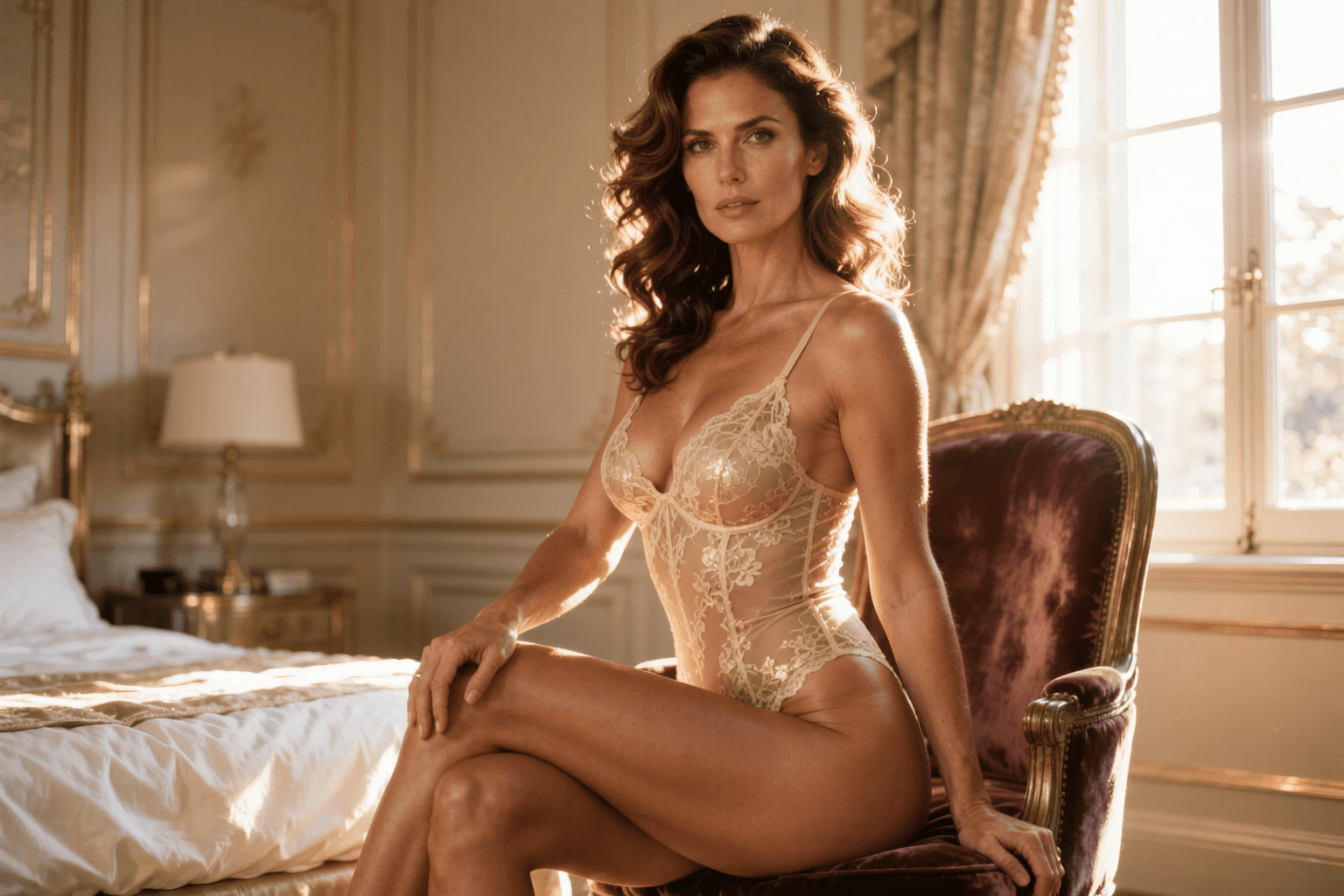
- Wardrobe & pose: be specific — "black lace bodysuit, kneeling on a velvet chair" beats "sexy outfit".
- Camera: framing and lens feel — "chest-up portrait, 85mm, shallow depth of field".
- Light: the layer most people skip — "warm window light from the left, deep shadows".
Generate four to eight variations, keep the strongest, and iterate on one layer at a time. Changing everything at once tells you nothing about what worked.
Step 4: Fix Anatomy Before Anything Else
Before saving or sharing, scan every image in this order: hands, then the join between limbs and torso, then symmetry of the face, then whatever touches the skin (straps, jewelry, fabric edges). Anatomy errors are what make AI images read as sloppy — light and color problems are forgivable, extra fingers are not.
If a generation is 90% right, don't re-roll from scratch. Use image editing to correct the detail while keeping the composition.
Step 5: Explore Styles Beyond the Default
Once the character holds, styles are where the fun starts:

- Gravure — the Japanese glamour style: bikini or lingerie, sunlight, playful poses. Suggestive rather than explicit, and one of the most-searched adult AI styles in Japan.
- Boudoir — warm indoor light, lingerie, editorial framing.
- Anime and hentai — stylized, expressive, its own prompt vocabulary.
- Fantasy — elves, demons, sci-fi settings; the character stays consistent while the world changes.
The Rules That Keep You Legitimate
Two hard lines apply everywhere, including on CornDude:
- Original adult characters only. Never real people without explicit consent — not celebrities, not people you know. Intimate deepfakes are illegal in a growing list of jurisdictions.
- Adults only, always. Nothing that depicts minors, in any style, including anime.
Within those lines, what you make privately is your business. That's the point of an adult-first platform.

Start Creating
The whole workflow — character, prompts, refinement, styles — runs in one place on CornDude. Signup is free, your first character takes about a minute, and the prompts you save today will still produce the same woman next month. That consistency is what makes the difference between generating images and actually creating something.
Questions, answered
Frequently asked questions
What do I need to start making AI erotic images?
Just an adult-first generator and a free account. You describe an original adult character, generate a batch, keep the best result, and refine from there. No GPU or local install required.
Can I use photos of real people?
No. Creating intimate images of real people without consent is illegal in a growing number of countries and banned on every legitimate platform. Work with original, fictional adult characters.
Why do my results look different every time?
Generic tools re-roll the character on every run. Platforms built around persistent characters lock the face and body first, so every image afterwards looks like the same person.
Put the workflow into practice
Create original adult AI media with CornDude
Choose an image or video model, build a fictional adult character, and keep each generation under your control.
Try CornDude →Continue in Explore
Related topics
Keep going with a related guide, then open CornDude and create.
AI Porn Stories
AI Porn Stories on CornDude — original adult characters, uncensored AI images and video, and a simple workflow you can reuse.
AI Erotic Story
AI Erotic Story on CornDude — original adult characters, uncensored AI images and video, and a simple workflow you can reuse.
Erotic AI Chat
Erotic AI Chat on CornDude — original adult characters, uncensored AI images and video, and a simple workflow you can reuse.
AI Erotica Generator
AI Erotica Generator on CornDude — original adult characters, uncensored AI images and video, and a simple workflow you can reuse.
Make AI Porn
Make AI Porn on CornDude — original adult characters, uncensored AI images and video, and a simple workflow you can reuse.
NSFW Video Maker
A NSFW video maker for original adult characters. Go from a prompt or a picture to a finished adult clip, then edit it without leaving the studio.
Keep reading
Related guides
Adult AI Creator Guides
Porn Generator Guide: How to Compare AI Tools in 2026
A practical, adult-only guide to choosing a porn generator by image quality, character consistency, privacy, consent controls, cost, and publishing fit.
Adult AI Creator Guides
Free AI Porn Generator: What Actually Works in 2026
A practical guide to free AI porn generators — what you actually get for free, quality trade-offs, privacy risks, feature limits, and when to upgrade to tools that deliver professional results.
Adult AI Creator Guides
ChatGPT NSFW: The Best Uncensored Alternative
ChatGPT blocks adult prompts by design. Here is why, and how an adult AI studio with original characters handles NSFW chat, images, and video instead.